InventiPro

Built for how shops and restaurants actually run

Every feature below is shipping in the product today — not a roadmap slide.

Add-ons: Self-Order Kiosk and Reservations ↓Running a school or college? See InventiPro EMS ↓
Add-ons

Add what your business needs

Optional extras for InventiPro POS, priced separately from the plans. Open Details for everything each one does.

Self-Order Kiosk

Customers order and pay at a screen

A touch-screen kiosk for your outlet. Customers browse your menu, add items, pay, and get an order number — and the order reaches your counter or kitchen once it is paid.

  • ✓ Prices re-checked on the server
  • ✓ Order reaches the kitchen only once paid
  • ✓ Now serving board for a TV or monitor
Details
  • Pair any tablet or touch screen with a one-time 6-digit code; remove it from the back office at any time.
  • Sells the products already in your catalogue, with photos, sizes and extras. Hide any item from the kiosk with one switch.
  • Combos and meal deals sell at one price while the bill still splits back into the individual items, so stock and GST stay correct.
  • Customers pay at the screen through your own payment gateway, or choose pay at the counter and your staff take the money.
  • A counter screen holds orders waiting to pay, orders in the kitchen and orders ready to hand over.
  • Your name, logo, welcome picture and colours, with a live preview. Customers can switch between English, Hindi, French, Spanish and Korean.
  • Optional mobile number at checkout, verified by an SMS code (a separate add-on), and a feedback message after pick-up.
  • Needs InventiPro POS and an internet connection. Each paid order becomes a normal invoice.
Learn more about Self-Order Kiosk →

Reservations

Table, room and seat booking

Let guests book a table, room, seat or appointment slot online and run every booking from the same app you bill from — with a public booking page, a waitlist, reminders and no-show insights.

  • ✓ Public booking page and QR code, no guest account
  • ✓ Waitlist, deposits and automatic reminders
  • ✓ No-show, peak-hour and table-use insights
Details
  • A public booking page with a link and a printable QR code. Guests pick a time and party size without creating an account, and can look their booking up again.
  • Add what guests can book — tables, rooms, seats or staff slots — each with a capacity and a zone such as Patio or First floor.
  • Set your policy: opening hours, slot length, how far ahead guests may book, party-size limits and how late a guest may cancel.
  • Auto-confirm bookings or have staff confirm each one. Overbooking is off unless you switch it on.
  • Optionally ask for a deposit when booking, paid online into your own payment gateway.
  • SMS, WhatsApp and email for confirmed, reminder and cancelled events. SMS and WhatsApp use your message credits.
  • Check in, check out, no-show, cancel, reschedule or reassign a table, and turn a booking into a bill.
  • A waitlist for walk-ins, and an Insights tab with no-show and cancellation rates, peak hours, booking sources and table use.
  • If a trial or paid period ends it turns read-only: existing bookings stay visible, new ones pause.
Learn more about Reservations →

Choose how you run it

Desktop App — Works Fully Offline

The JavaFX desktop application stores everything in a local database and runs with zero dependency on an internet connection — billing, inventory, and reporting keep working even when your connection doesn't.

Web App — Access From Any Device

The same core POS experience, in your browser, from any laptop, tablet, or phone — no installation required, always up to date.

Installable as a PWA

Install the web app straight to your phone's home screen or desktop like a native app — one tap to launch, no app store needed, on both mobile and desktop.

Optional Cloud Sync (Paid Add-on)

Choose exactly which tables you want synced, and selectively push your offline desktop data to the cloud so it's visible in the web app too — sync stays optional and under your control, not automatic or all-or-nothing.

Password, PIN, fingerprint, 2FA — your call

A dedicated walkthrough of every account-security option, what we recommend for a shared till versus your own device, and exactly how to turn each one on.

Security Setup Guide

Desktop vs. Web vs. PWA

All three share the same core product — this is what differs.

CapabilityDesktopWebInstalled PWA
Works without internet——
Access from any device—
Installs like a native app——
Always up to date automatically—
Local hardware support (printer, drawer, scale)——
Multi-device access for one account—

Sales & Operations

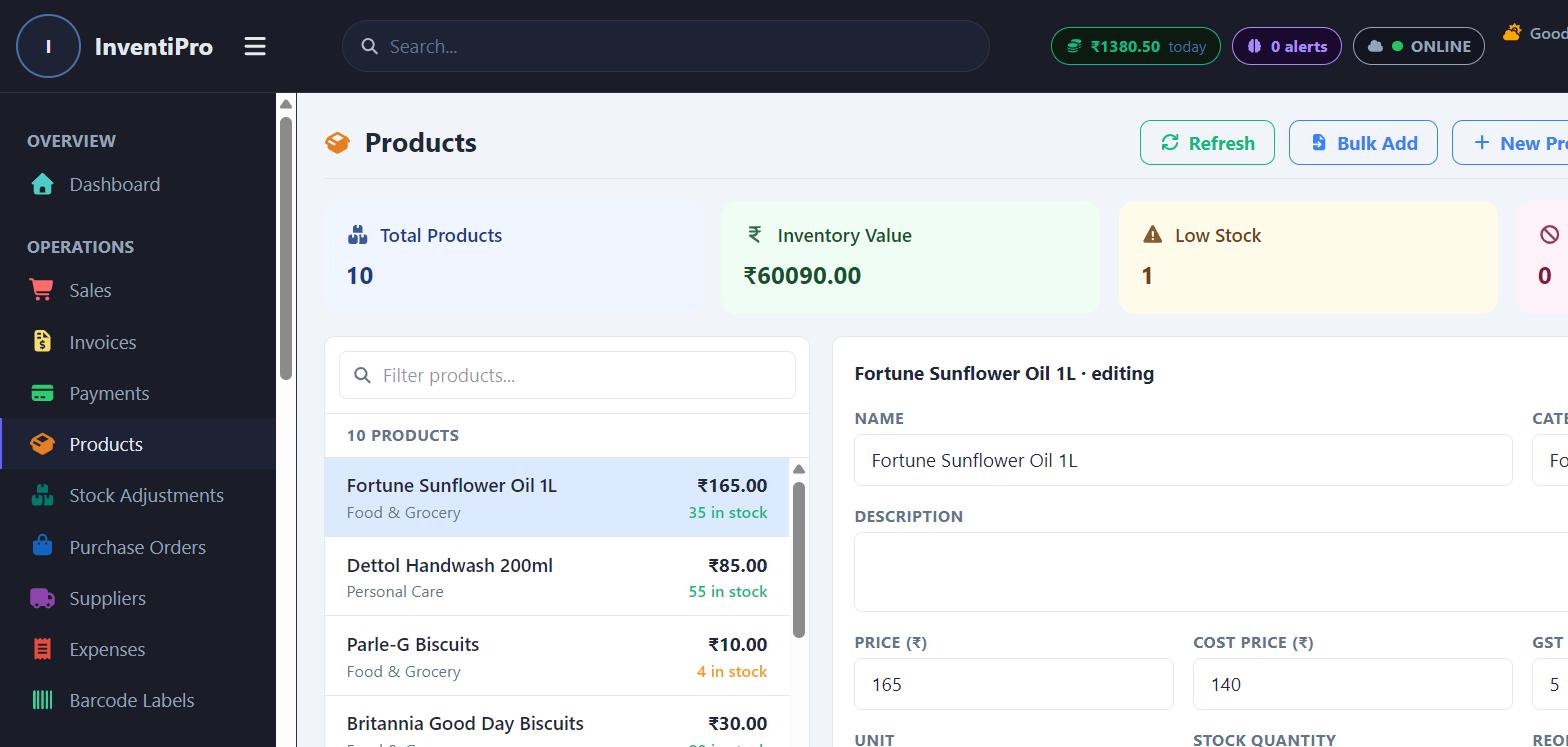
InventiPro product catalog and detail editor showing stock, category, and pricing

Point of Sale

Fast checkout with barcode scanning, cart management, and multiple payment methods (cash, card, UPI).

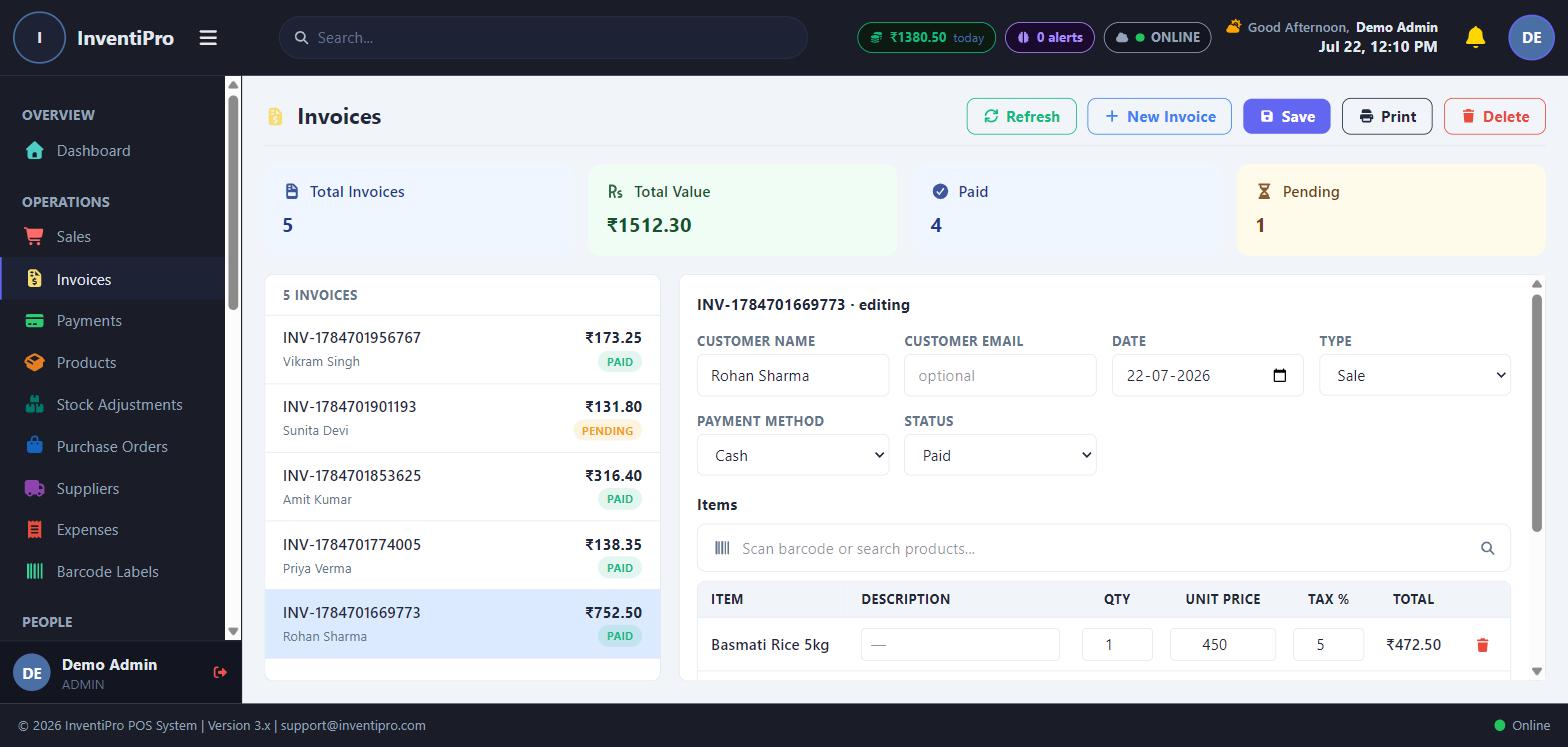
Invoicing

Generate, print, and track invoices with tax rules, discounts, and customer linkage.

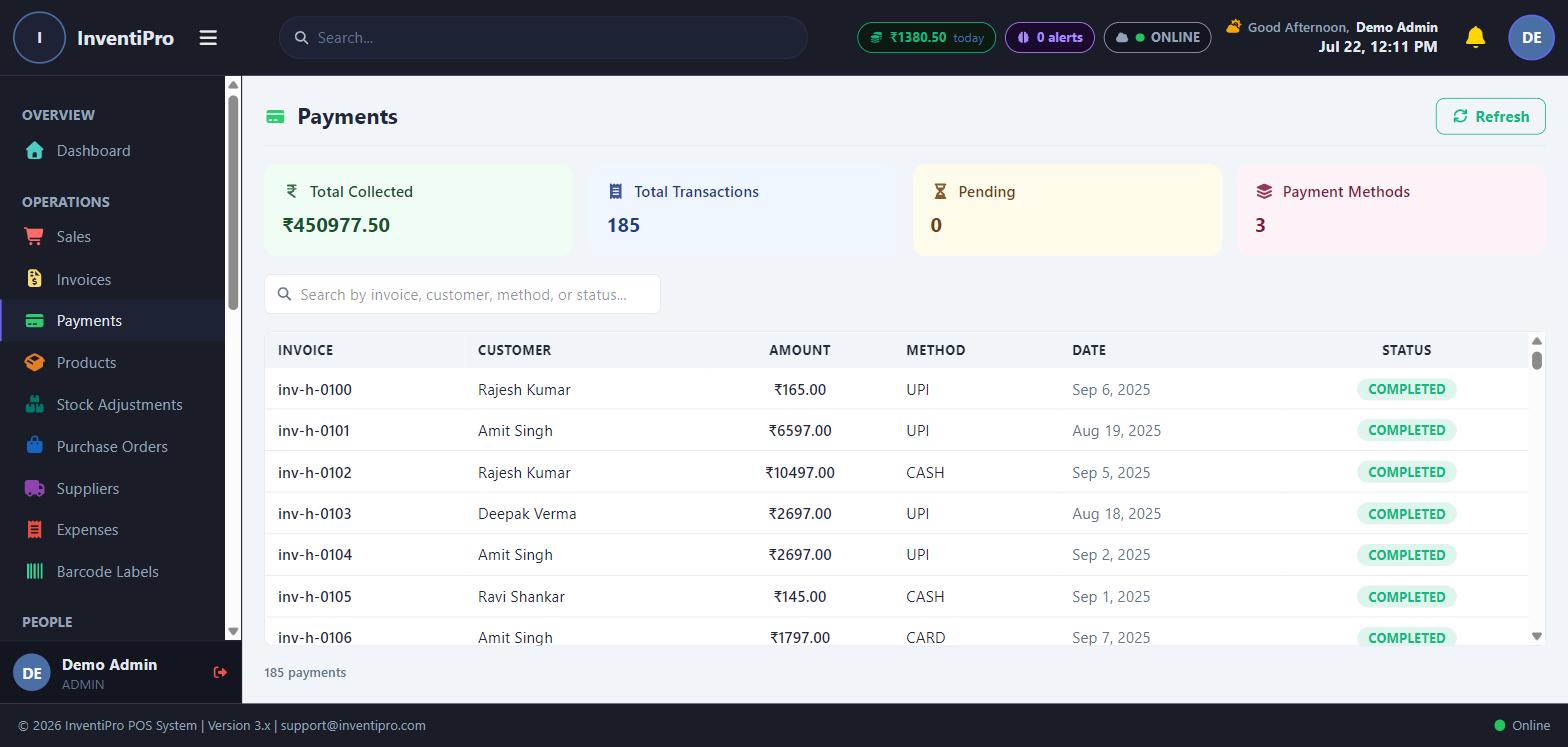
Payments

Record and reconcile payments against invoices, with a full payment history per customer.

Product & Inventory

Manage products, variants, categories, stock levels, and reorder thresholds — with bulk import from Excel/CSV.

Stock Adjustments

Track and audit every manual stock correction with a full history log.

Purchase Orders

Create and track purchase orders to suppliers, from draft through delivery.

Suppliers

A dedicated supplier directory tied to purchase orders and expense tracking.

Expenses

Log and categorize business expenses alongside your sales data.

Barcode Labels

Generate and print barcode labels directly for your product catalog.

Restaurant & Reservations

Seat & Table Reservations

Take bookings by table or seat with party size, arrival window, and a booking code — plus a public booking page your guests can use without an account. A paid add-on: see the Table & Seat Reservations guide for how to get it.

Tables & QR Ordering

Guests scan the QR on their table to browse the menu and order themselves, with no app to install and orders going straight to the kitchen.

Kitchen Display

Live order tickets by course and table, so the kitchen sees every round the moment it is placed.

Self-Order Kiosk

A vertical touch screen in your outlet where customers order and pay themselves, get a receipt with their order number, and watch a "Now serving" screen — orders go straight to the kitchen. A paid add-on, switched on once purchased.

Guests & Footfall

See who actually came in — covers seated, new versus returning guests, spend per guest, and a full visit log.

Takeaway & Aggregator Orders

Record direct takeaway and Swiggy/Zomato orders with the commission and fees each one costs you, and the net payout you should be settled.

Waiter Sections

Group tables into sections with a waiter assigned to each, with mid-service transfers when a party moves.

Customers & Team

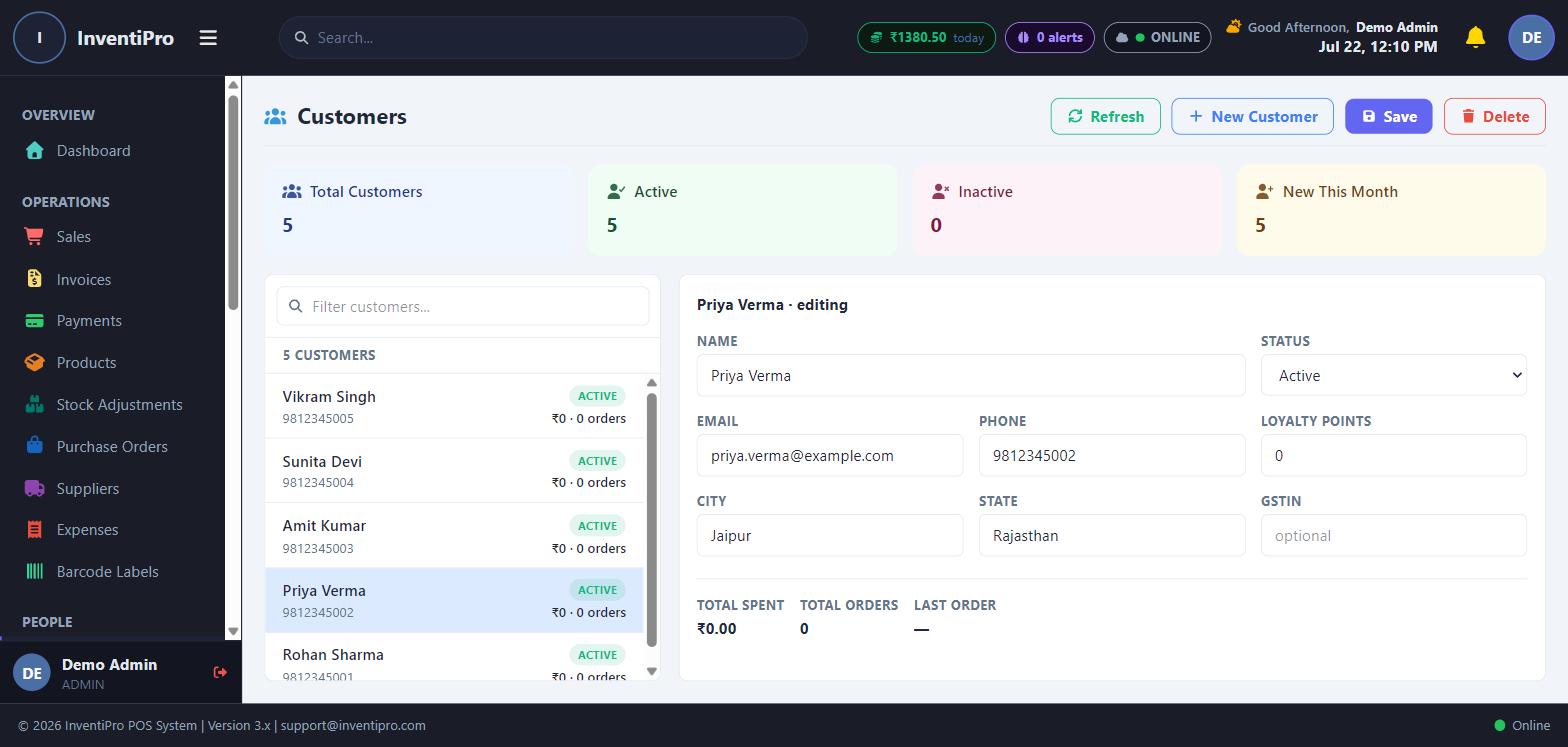
InventiPro customer directory showing loyalty points and order history

Customer Management

A full customer directory with purchase history, loyalty points, and credit limits.

Data Migration

Import existing customer, product, and invoice data from other systems via a guided wizard.

Employee Management

Manage staff accounts, roles, and permissions — including per-employee tab visibility controls.

Shift Management

Open/close shifts with opening balances and full shift-history reporting.

Analytics & Insights

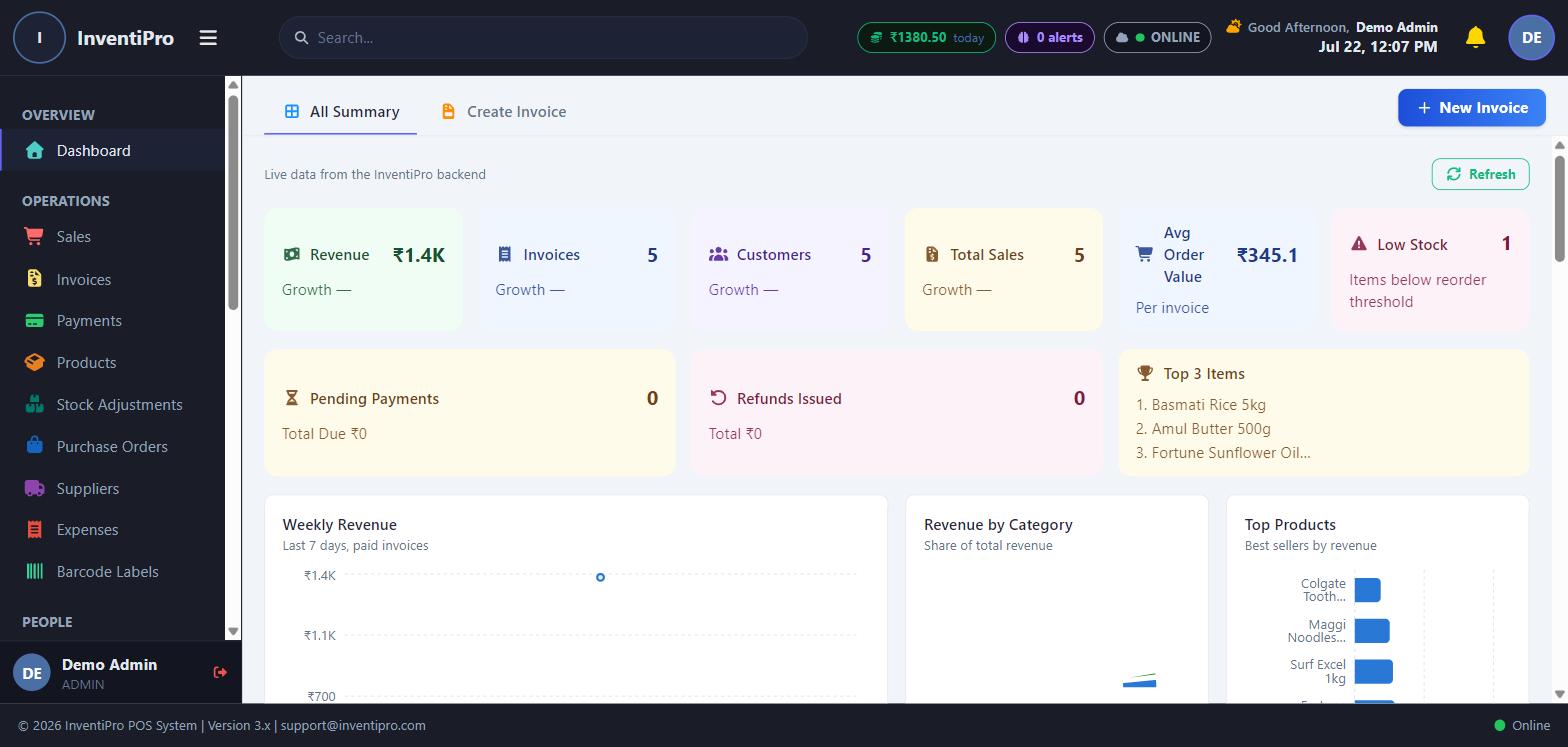
InventiPro analytics dashboard with live revenue and top-selling products

Analytics

Sales trends, top products, and customer segments visualized at a glance.

Reports

A library of pre-built reports across sales, inventory, tax, and staff performance.

AI Insights

Automated alerts and recommendations surfaced from your own sales and inventory data.

Fraud Detection

Flags unusual transaction patterns worth a second look.

Reconciliation

Match billed, collected, and outstanding amounts to catch discrepancies early.

Marketing & Engagement

Marketing Campaigns

Plan and track promotional campaigns tied to your customer base.

Gift Cards

Issue and redeem gift cards with full balance tracking.

Email

Connect an email account and manage customer-facing email straight from the app.

Action Center

A single feed of everything that needs your attention — low stock, pending dues, and more.

InventiPro EMS

Education Management for schools, colleges and institutes

Admissions to report cards, fees to hostels, staff to procurement — one system for the whole institution. Sold separately from the POS, with its own plans and a free trial.

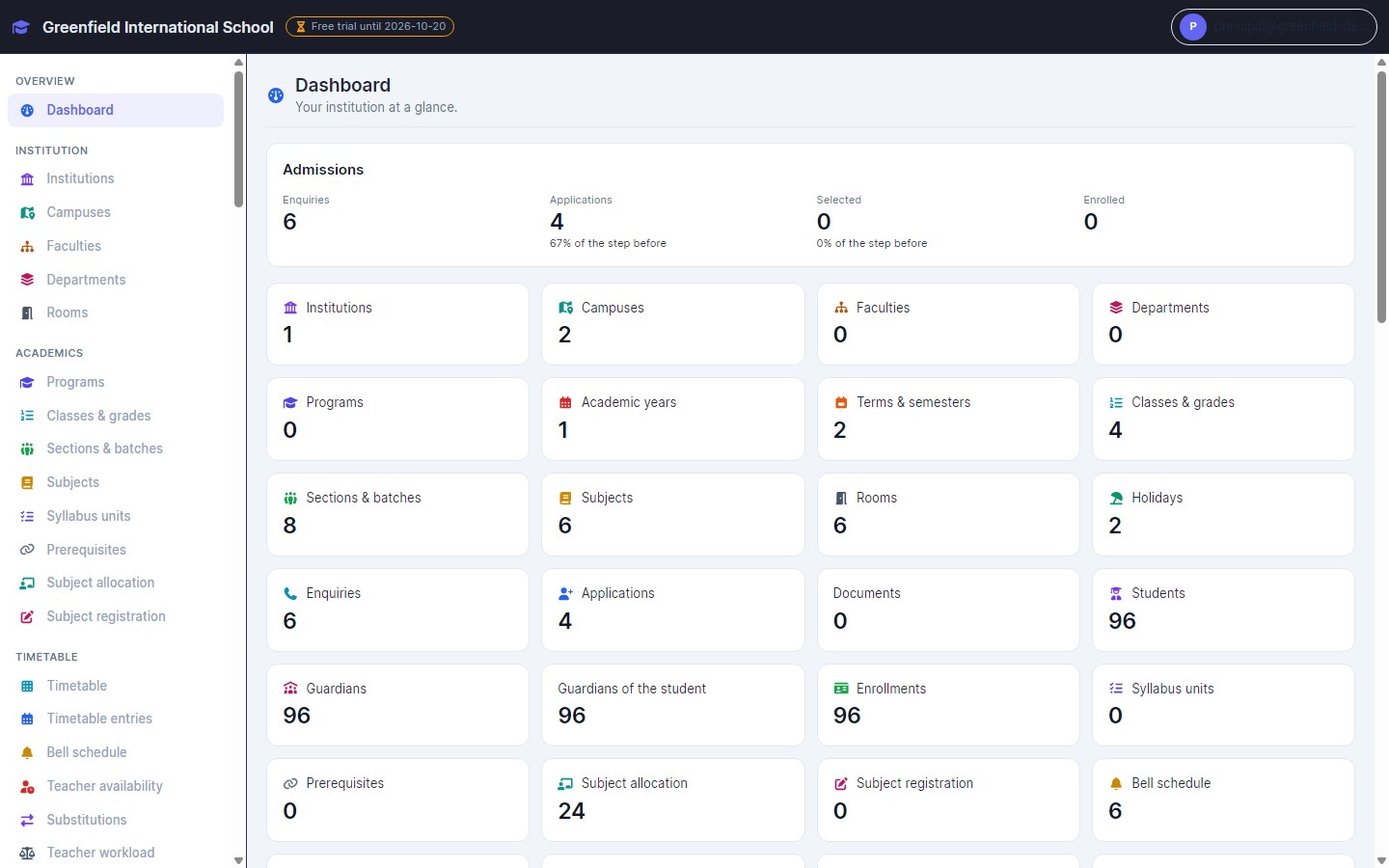
InventiPro EMS dashboard showing the admissions funnel and counts of campuses, classes, students and guardians

The whole institution at a glance

Admissions funnel, students, classes, fees and everything else on one screen — each number opens the records behind it.

  • Live counts for every module
  • Admissions funnel from enquiry to enrolment
  • Works on phone, tablet and computer
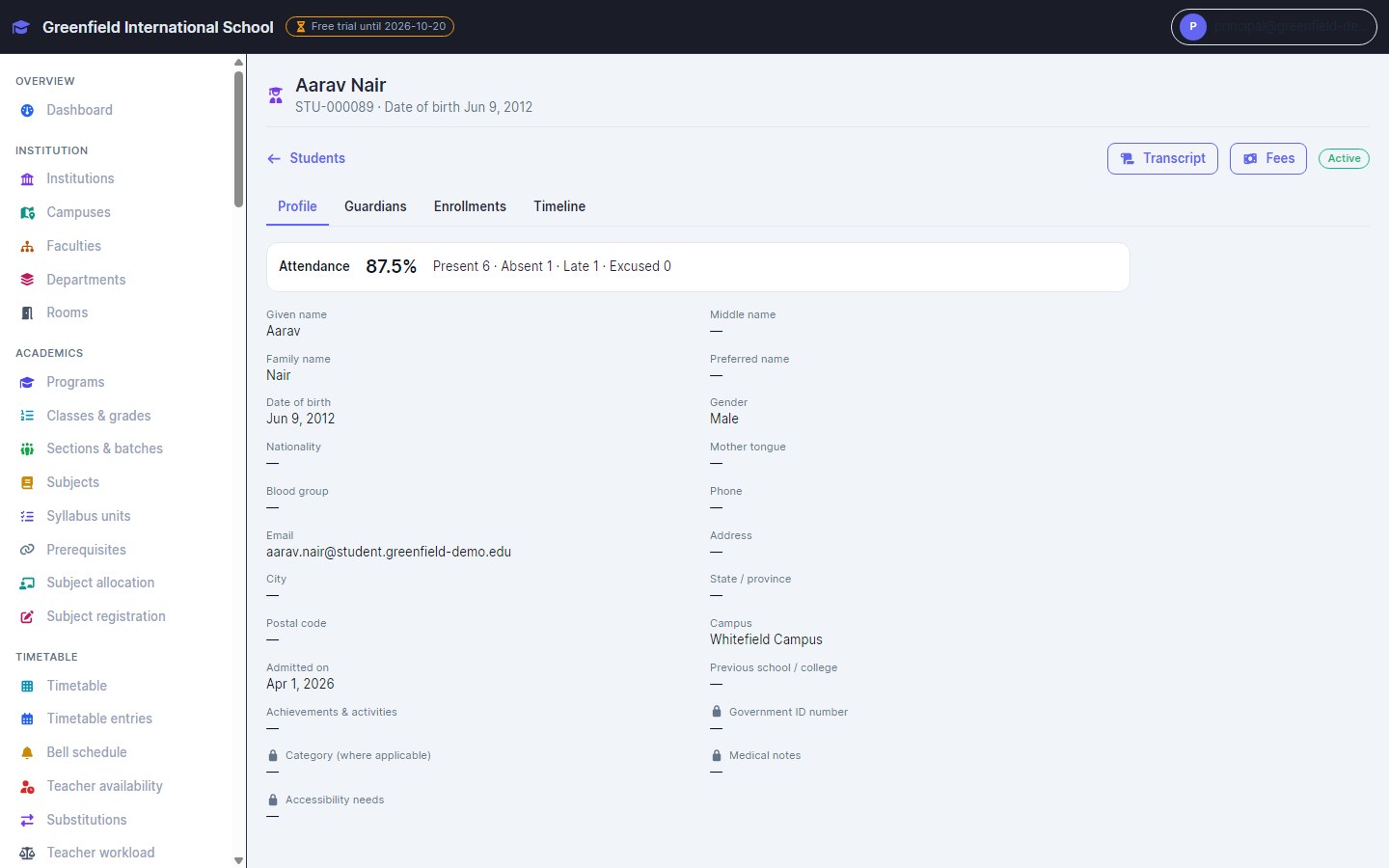
InventiPro EMS student profile with attendance summary and personal details

A complete record for every student

Profile, guardians, enrolment history and a timeline — with sensitive details locked to the people allowed to see them.

  • Siblings share guardians automatically
  • Duplicate checks that tell twins apart
  • Attendance percentage on the profile
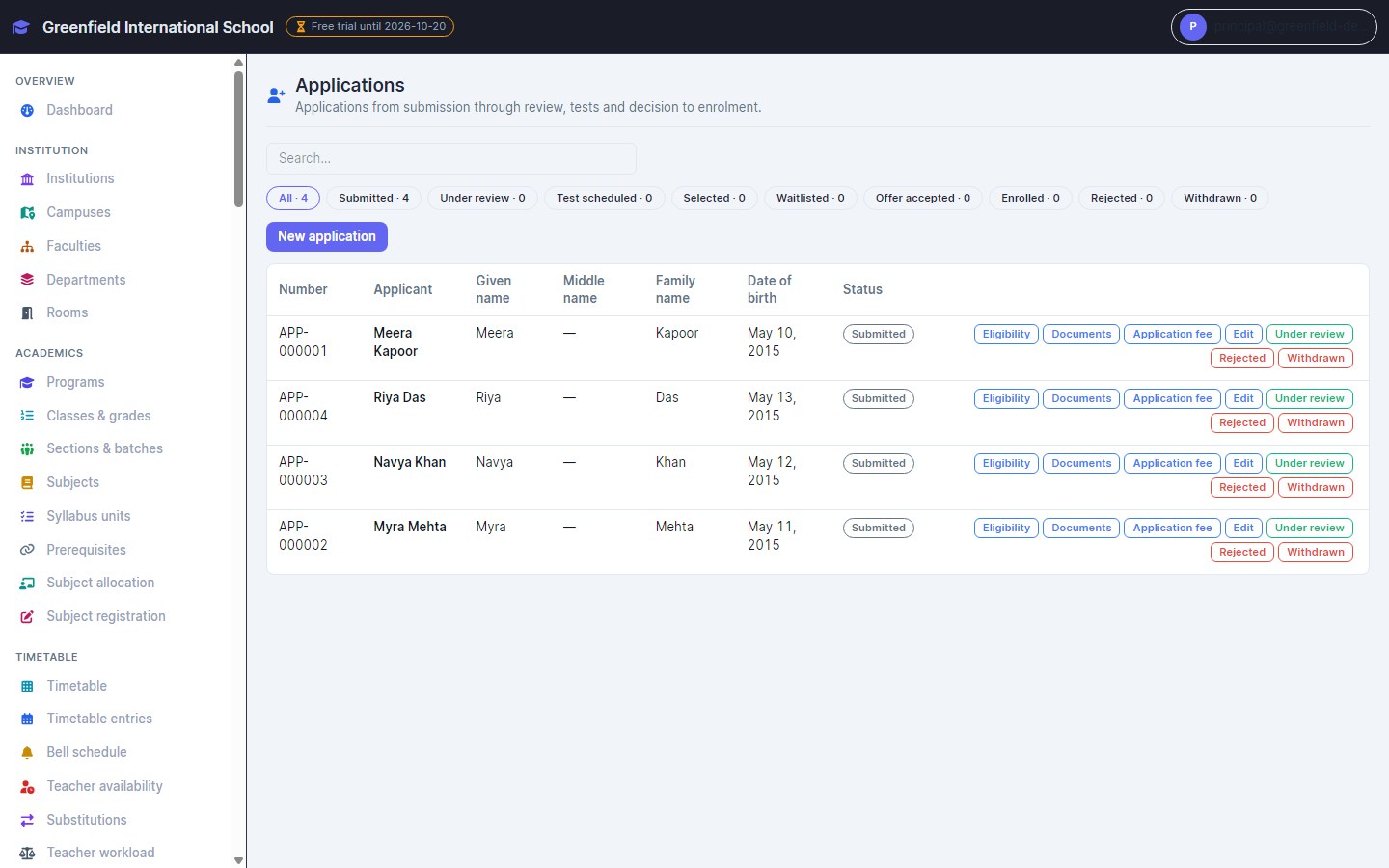
InventiPro EMS applications list with status filters and review actions

Admissions from enquiry to enrolment

Enquiries, applications, eligibility checks, merit lists and application fees — enrol a student, guardian and class in one step.

  • Merit lists with fair tie-breaks
  • Document checklists
  • Selections decided by the right person
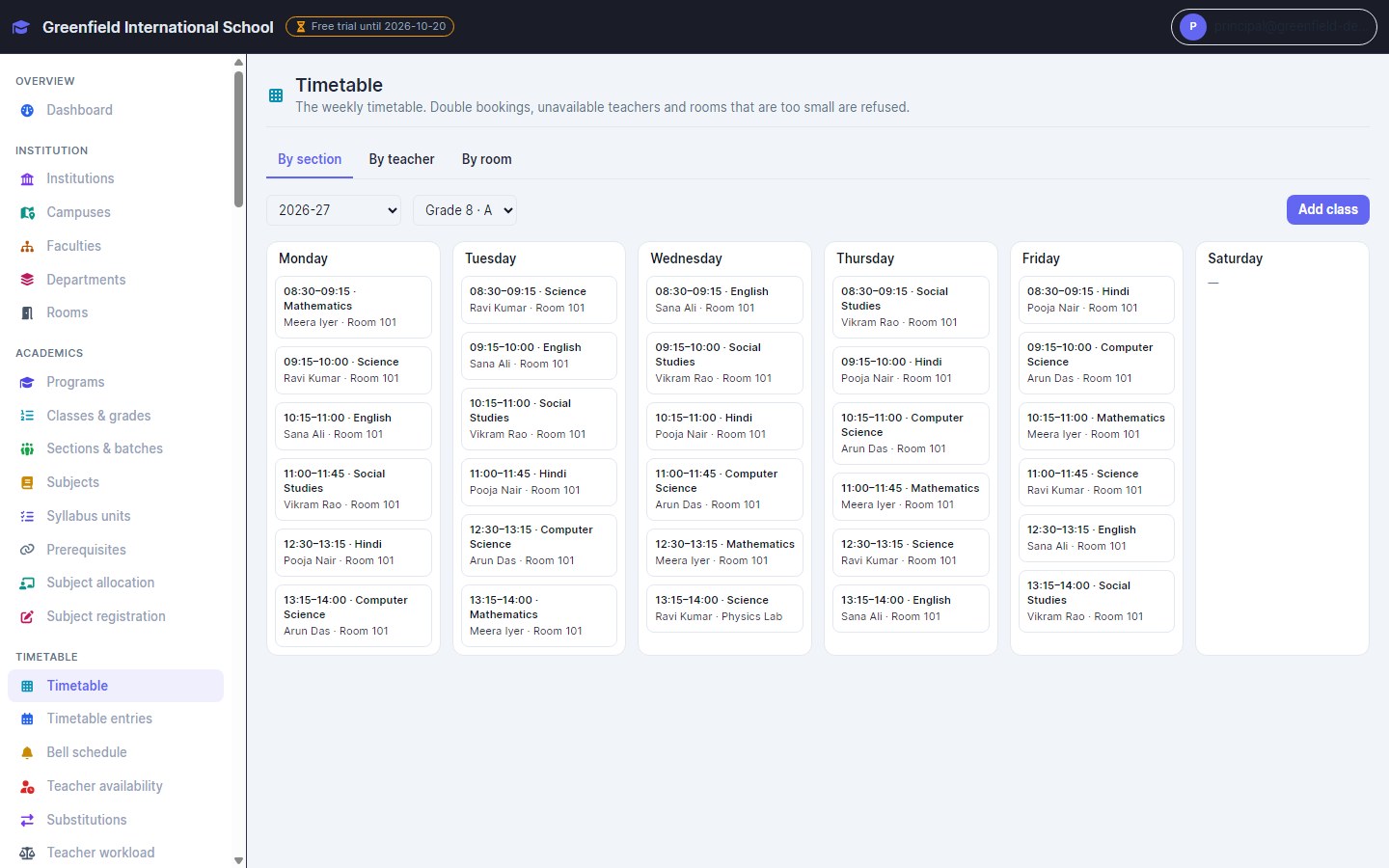
InventiPro EMS weekly timetable for Grade 8 A with subjects, teachers and rooms

Clash-free timetables

Build the week by section, teacher or room. Double bookings, unavailable teachers and rooms that are too small are refused before they happen.

  • Substitutes for absent teachers
  • Teacher workload against limits
  • Labs and rooms booked without clashes
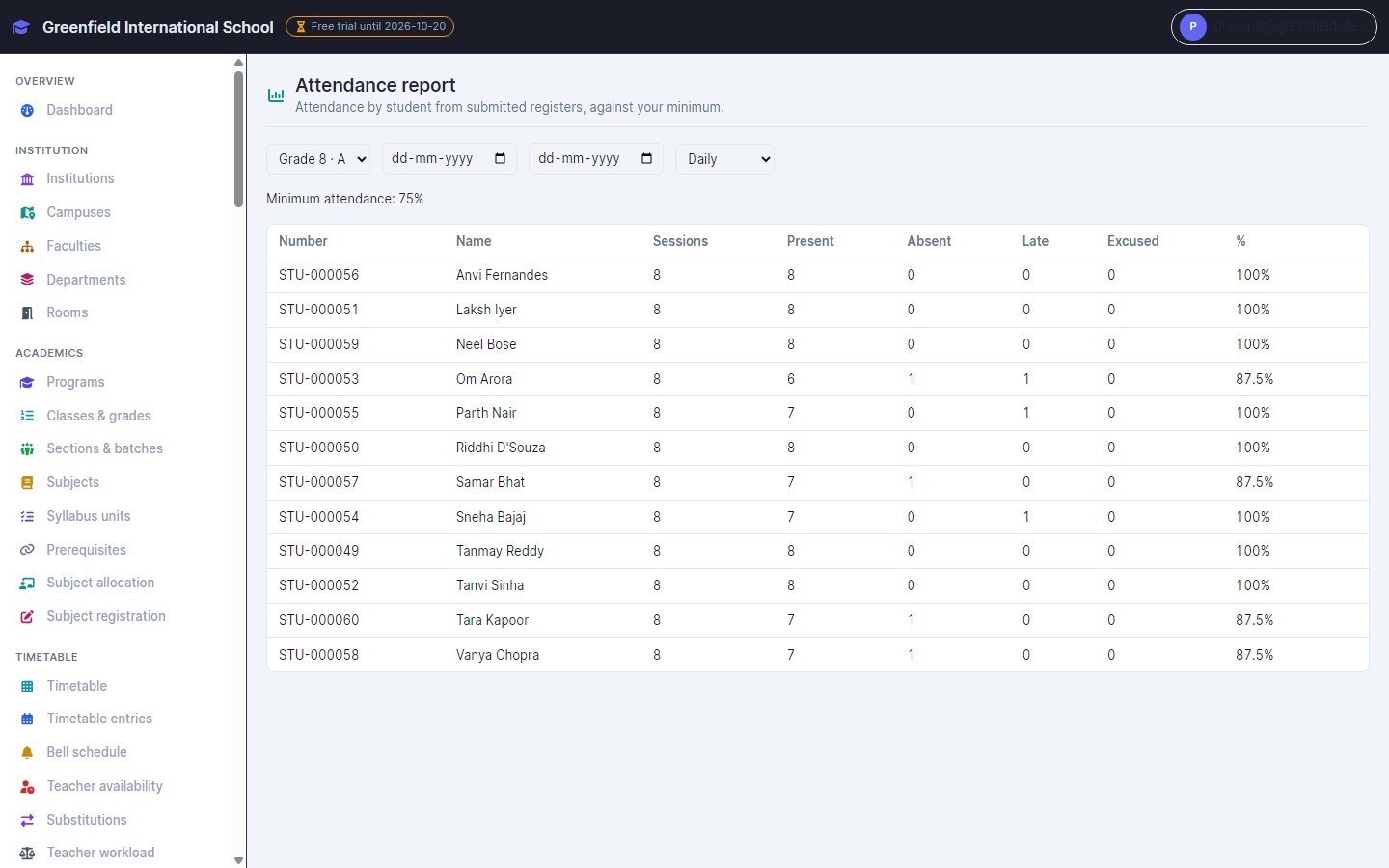
InventiPro EMS attendance report with sessions, present, absent, late and percentage per student

Attendance that takes seconds

Everyone starts present — mark only the exceptions. Reports show each student against your minimum, and guardians can be alerted automatically.

  • Daily or period-wise registers
  • Corrections approved by someone else
  • Holidays and working days respected
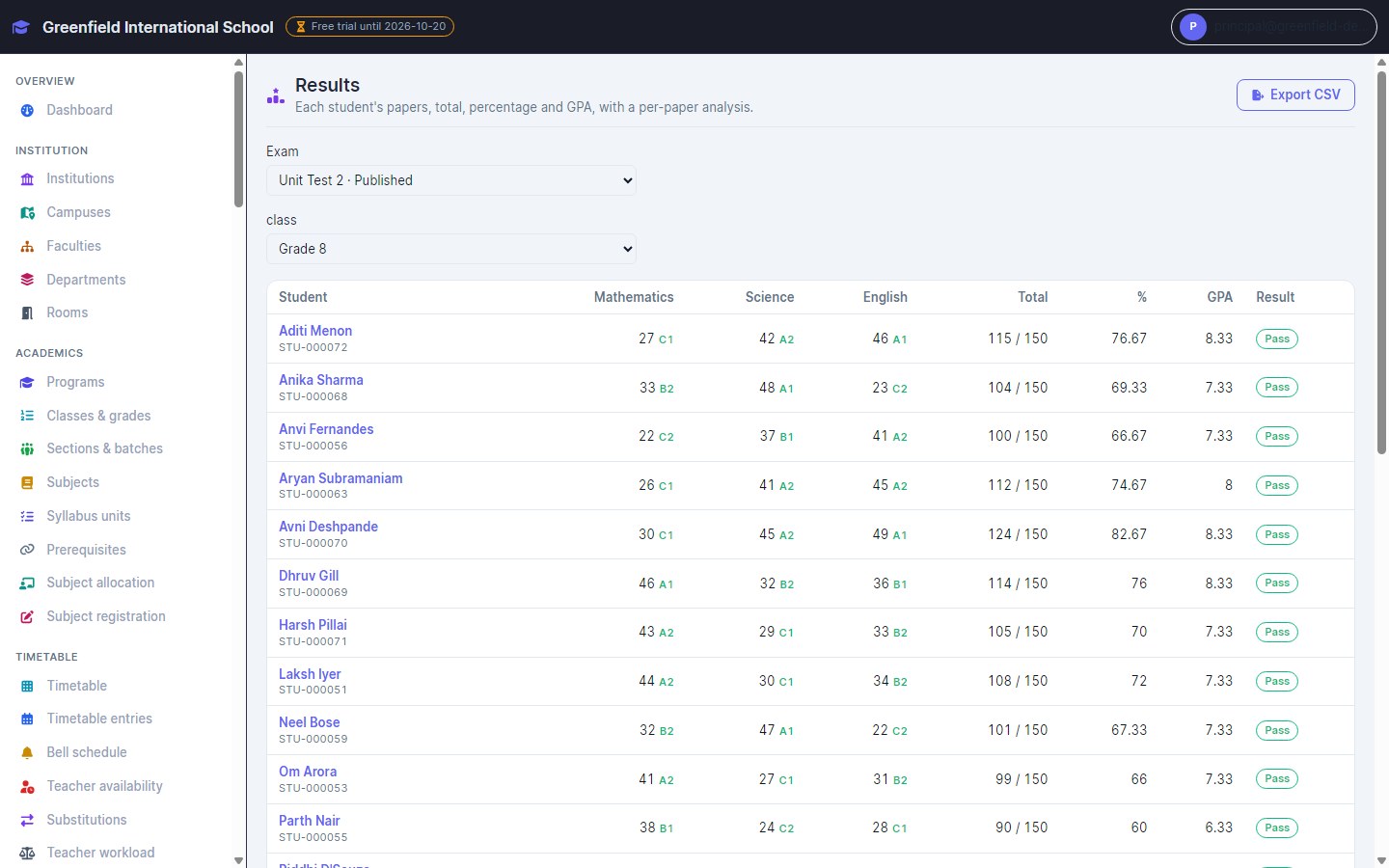
InventiPro EMS exam results for Grade 8 with marks, grades, totals, percentage and GPA

Exams, grades and report cards

Schedule papers, enter and moderate marks, then publish results graded by your own scheme — with GPA, pass/fail and per-paper analysis.

  • Your grading scheme, not ours
  • Revaluation with approval
  • Transcripts with CGPA
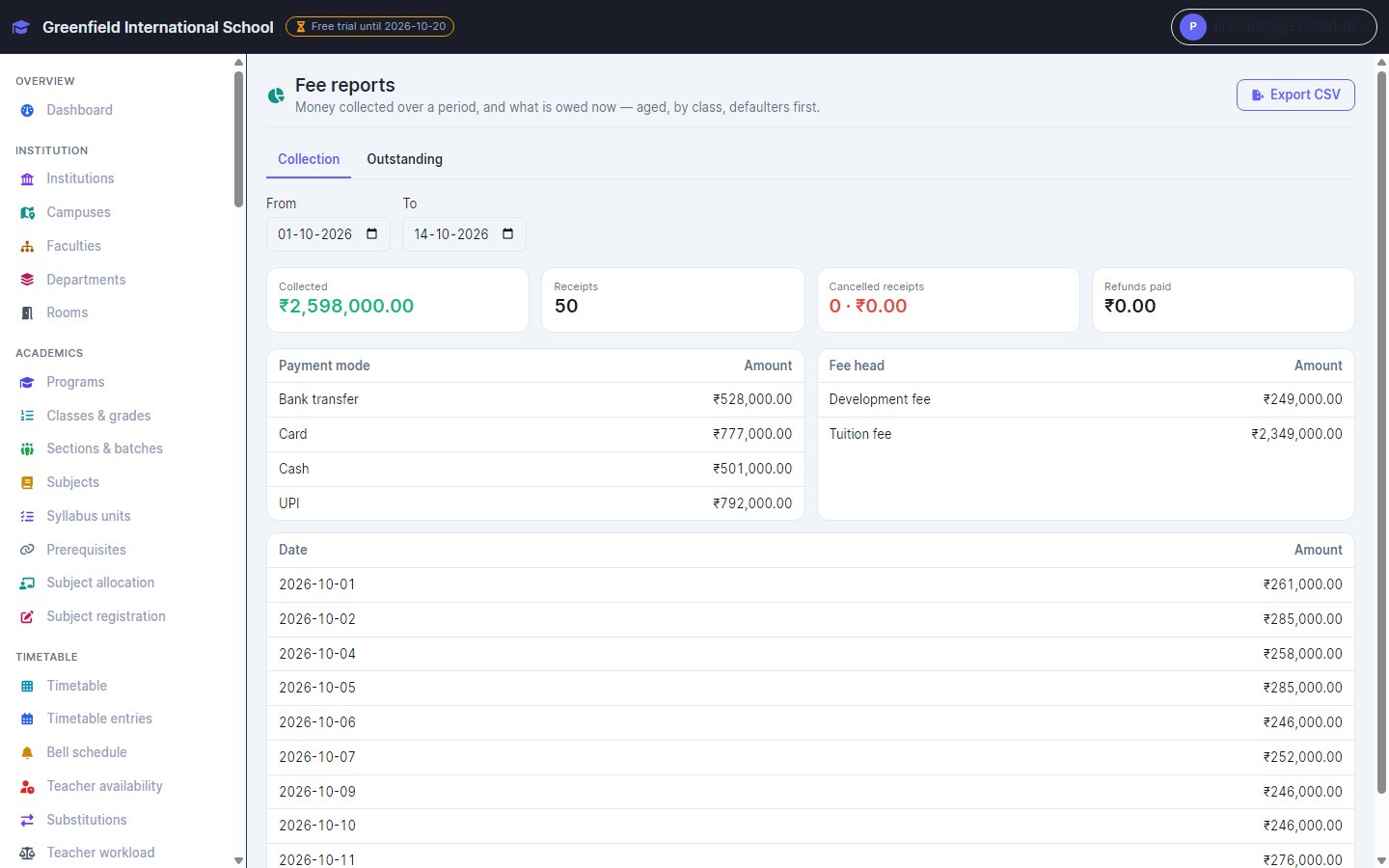
InventiPro EMS fee collection report by payment mode, fee head and date

Fees collected, followed up and reported

Fee structures with instalments, concessions and scholarships; receipts in cash, UPI, card or bank; online payment links; and reports by mode, head and day.

  • Online fee payments to your own account
  • Overdue reminders to guardians
  • Refunds and cancellations kept on record
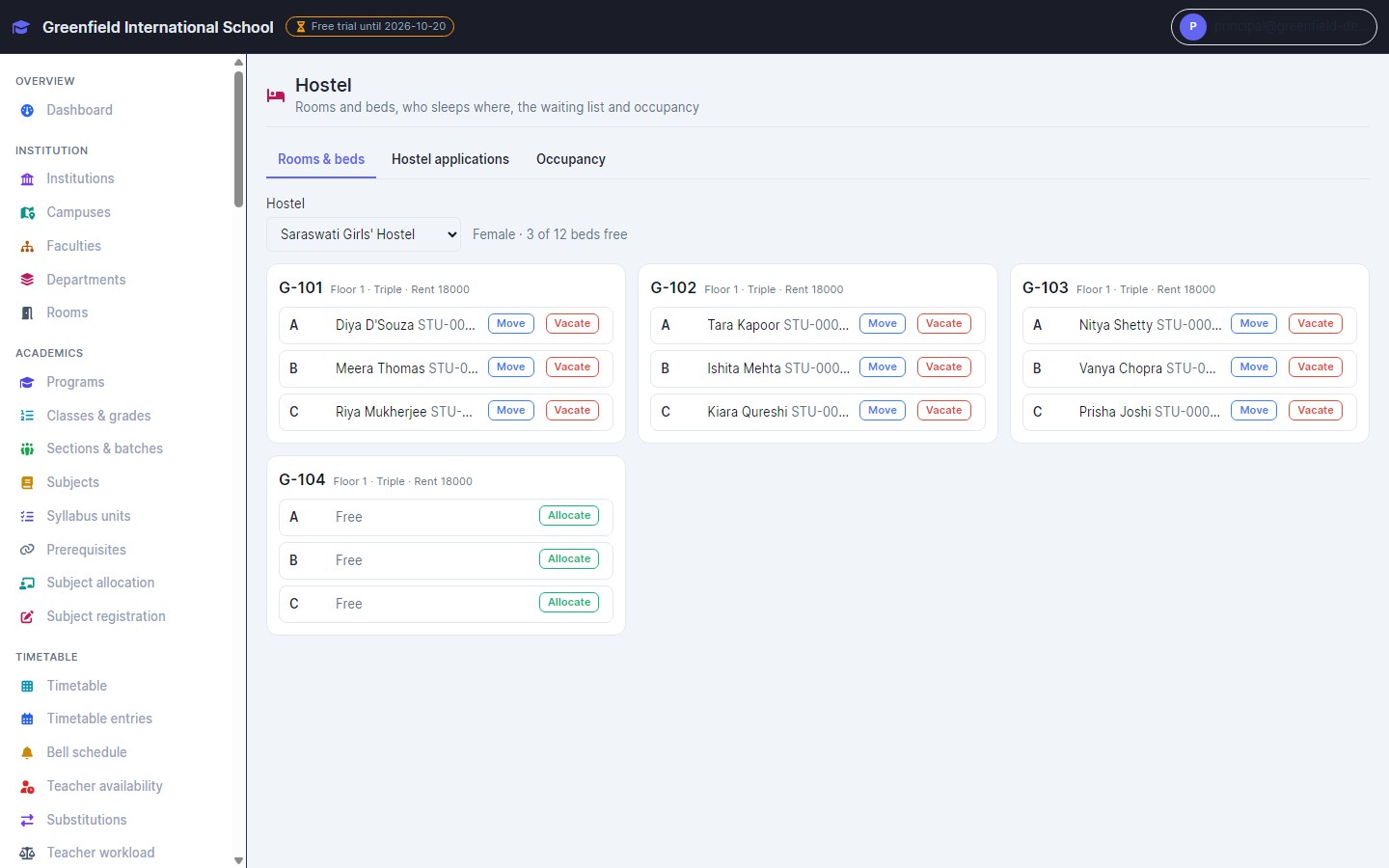
InventiPro EMS hostel board showing rooms, beds and the students allocated to them

Hostel rooms and beds

See who sleeps where, allocate from the waiting list, move or vacate a student — never two students in one bed.

  • Visitors and outings with late-return tracking
  • Hostel and mess fees by term or month
  • Occupancy by hostel
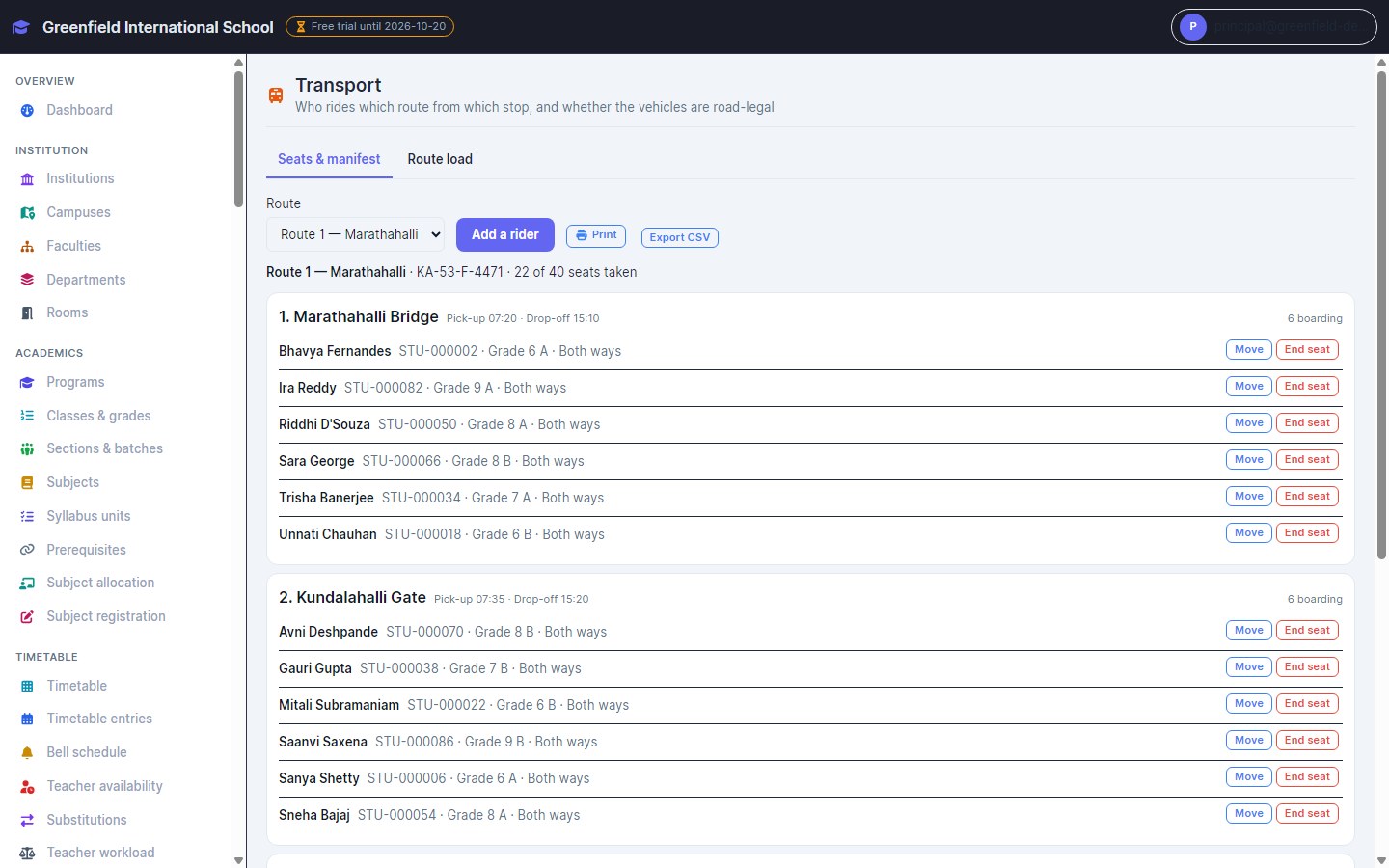
InventiPro EMS transport manifest listing students by stop on a bus route

Transport routes and manifests

Riders by stop with pick-up and drop times, seat counts per vehicle, printable manifests and alerts before vehicle documents expire.

  • Never more riders than seats
  • Route fares billed per period
  • Insurance and fitness expiry alerts
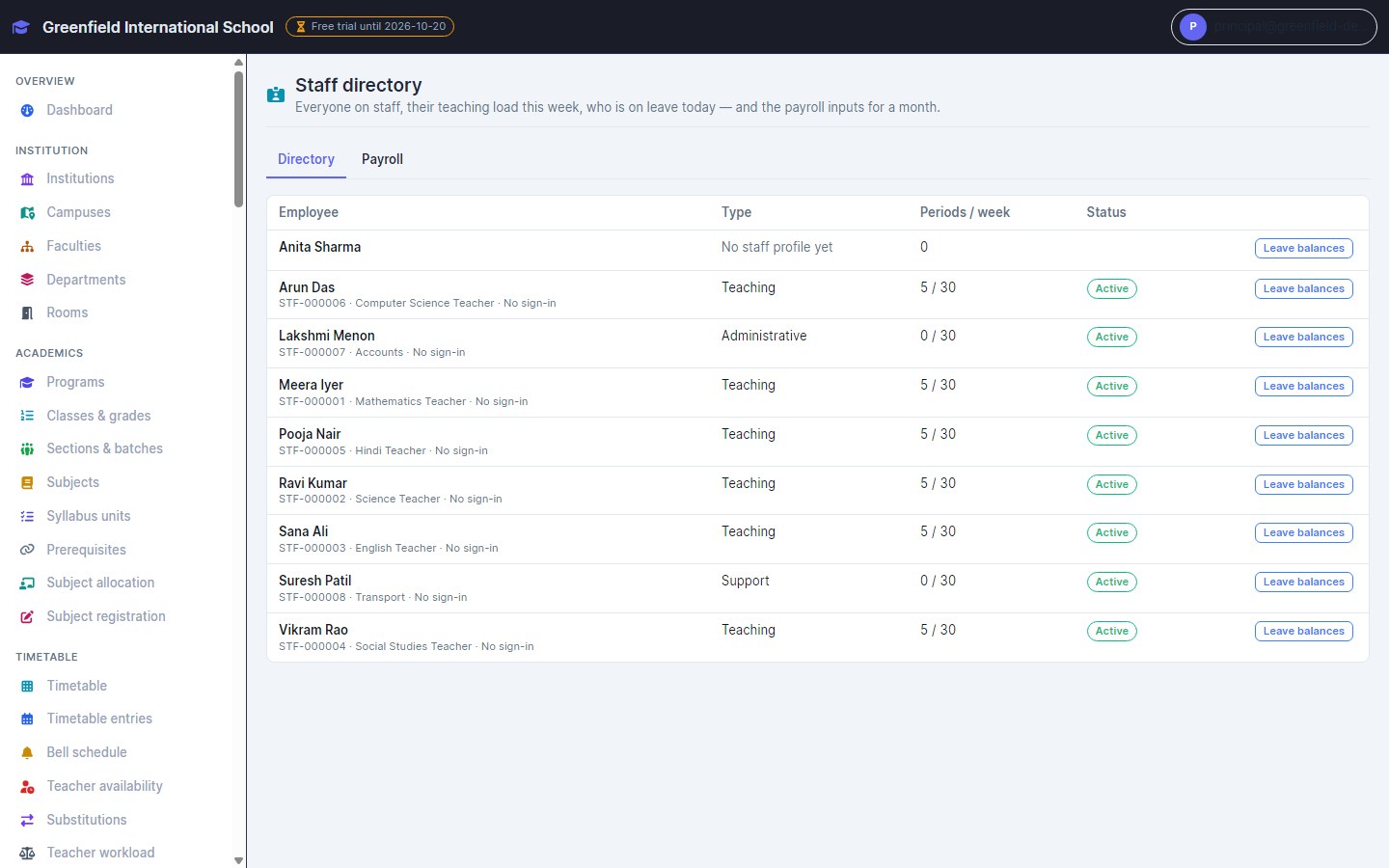
InventiPro EMS staff directory with type, weekly periods and status

Staff, leave and payroll

A staff directory with teaching load, leave requests approved by someone else and counted against balances, and payslips with loss of pay worked out.

  • Leave marks attendance automatically
  • Cover suggestions for absent teachers
  • Payslips never overwritten
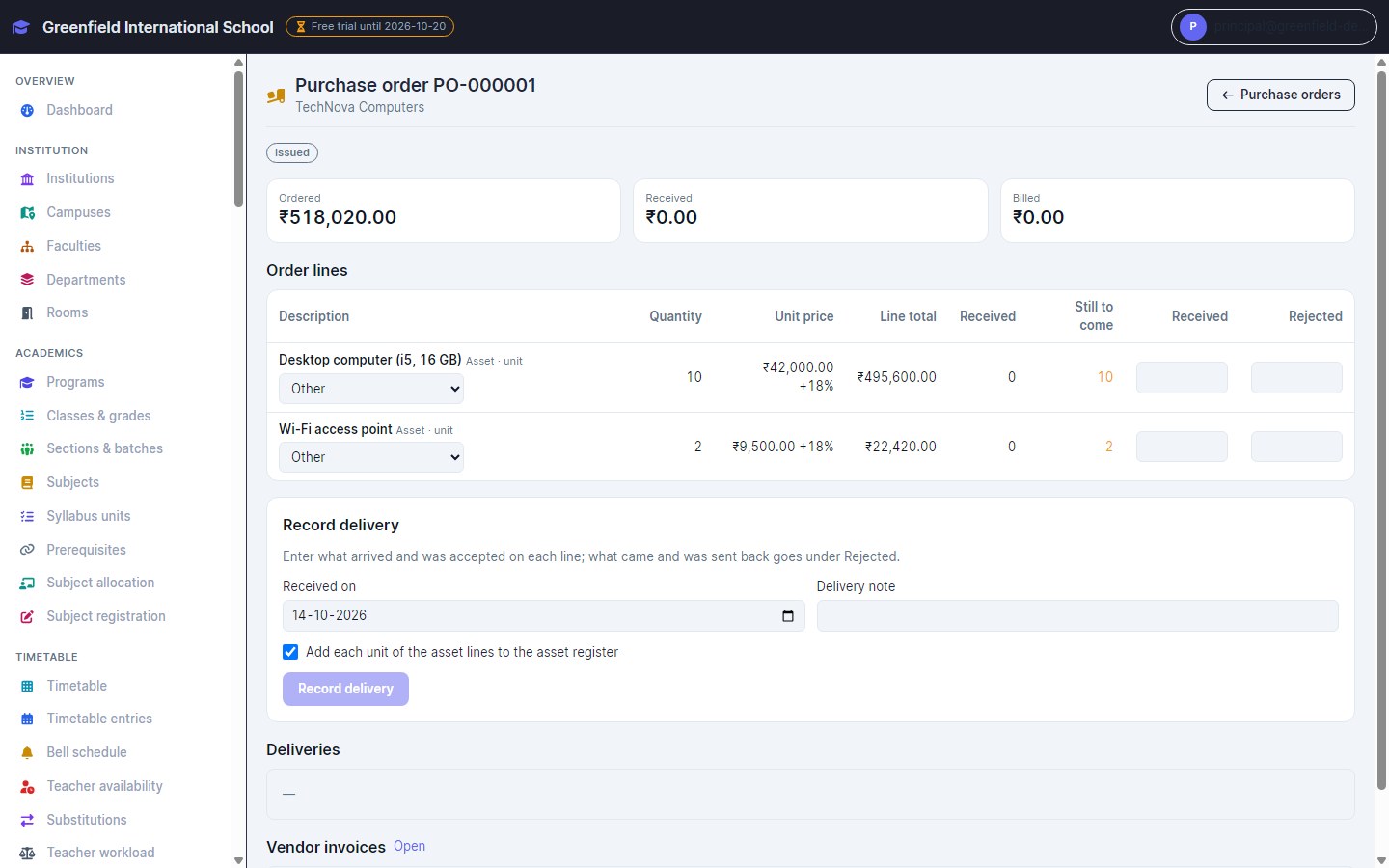
InventiPro EMS purchase order with ordered, received and billed values and delivery recording

Procurement within budget

Requests approved within budget, purchase orders, deliveries recorded against each line, and vendor invoices matched three ways before they are paid.

  • Budgets: committed, spent and available
  • Asset register with depreciation
  • Received assets registered automatically

A closer look

InventiPro invoice list showing paid, pending, and returned invoices
InventiPro payment history across cash, UPI, and card transactions

See it for yourself

Start Free Trial